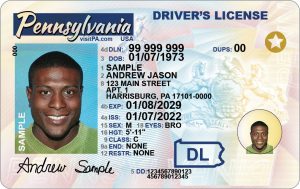
Texas Drivers License Address Change, If you’ve recently moved to a new home in Texas, one important task on your to-do list is updating your Texas driver’s license address. Failing to do so could lead to issues such as delayed mail or missing important documents. In this article, we’ll guide you through the steps to make sure your address is updated correctly and efficiently with the Texas Department of Public Safety (DPS).
Why You Need to Update Your Texas Driver’s License Address
Updating your address is not just a good idea—it’s required by law. According to Texas state law, you must notify the DPS within 30 days of a change in your residential address. Failing to update your address could result in fines or other legal complications. Additionally, keeping your information current ensures that you receive timely communication from the DPS, including renewal notices, vehicle registration information, and other important documents.
Ways to Change Your Address with the Texas DPS
There are three main ways to update the address on your Texas driver’s license:
1. Online Address Change
The quickest and most convenient way to update your address is by doing it online through the Texas Department of Public Safety (DPS) website.
Here’s how:
- Visit the official DPS website: https://www.dps.texas.gov/
- Log in to your DPS account or create one if you don’t already have one.
- Navigate to the “Change of Address” section.
- Follow the prompts to enter your new address.
- Review the details and submit your address change.
Once your address has been updated online, the DPS will mail you a confirmation, though you do not need to request a new driver’s license unless you prefer to receive one with your updated address.
2. By Mail
If you prefer not to change your address online, you can complete the process by mail. To do so:
- Download and fill out the Change of Address form (Form DL-64) from the Texas DPS website.
- Mail the completed form to the address listed on the form. Be sure to provide accurate and current details, as any mistakes may delay the process.
3. In Person
For those who prefer to handle the change in person, you can visit your local DPS office. You’ll need to bring:
- Your current Texas driver’s license.
- Proof of your new address (such as a utility bill, lease agreement, or other official documents).
Although the process is straightforward, be sure to check with your local DPS office for any specific requirements before visiting.
What Happens After You Update Your Address?
Once your address has been updated, you’ll receive a confirmation from the Texas DPS. However, you are not required to get a new Texas driver’s license with your updated address unless you want to. If you do choose to get a new license, you may need to pay a fee. The DPS will mail you a new card with your updated address.
Things to Keep in Mind
- Updating Vehicle Registration: Don’t forget to update the address on your vehicle registration as well. This can also be done online or in person at a local DPS office.
- Timeframe for Address Change: You must change your address within 30 days of moving to avoid any penalties or complications.
- Special Considerations for Out-of-State Moves: If you are moving from another state to Texas, you’ll need to apply for a Texas driver’s license rather than simply updating your address. This will require you to visit a DPS office in person.
- Temporary Address Changes: If you’re temporarily relocating within Texas (for example, for work or school), you can update your address for the duration of your stay.
Conclusion
Updating your Texas driver’s license address is a simple but important task that should be completed promptly after you move. Whether you choose to do it online, by mail, or in person, the Texas DPS provides multiple convenient options to make the process smooth and easy. Stay on top of this requirement to ensure that your driver’s license and vehicle registration details are always accurate, and you won’t miss any critical communication from the DPS.
change of address on my tx drivers license, texas drivers license address change, update drivers license address texas, texas drivers license address change online, texas license address change, address change on texas drivers license, texas drivers license change of address, address change texas, change driver license address texas, change of address texas drivers license, change address texas drivers license, tx dl address change, address change drivers license texas, texas dl address change, texas driver license address change, update license address texas, address change texas drivers license, change address on license texas, address change license texas, texas driver’s licence address change, dps change of address form, change id address online texas, texas change address on driver’s license, texas drivers license address change form, how to change driver license address in texas, dps change of address, change address drivers license texas, texas department of public safety address change, change texas id address online, texas dps change address.
You Might Also Like These: